


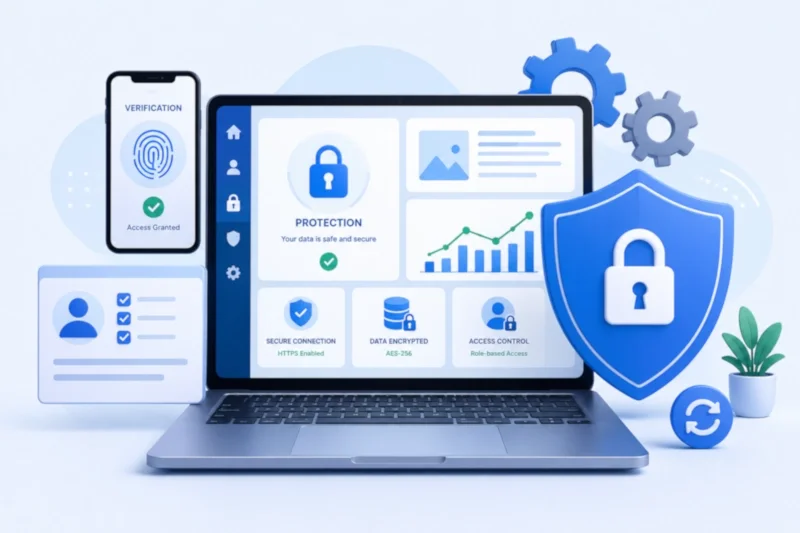
In today’s digital world, website security is no longer optional. Whether you run a business website, blog, eCommerce store, or portfolio, protecting your website from cyber threats is essential for maintaining trust, safeguarding user data, and ensuring smooth online operations. Unfortunately, many website owners underestimate the importance of security until they experience a hack, malware attack, or data breach.
Understanding website security basics can help prevent common cyber threats and reduce the risk of unauthorized access. The good news is that improving website security does not always require advanced technical skills. Simple actions such as enabling SSL, creating regular backups, and strengthening login security can significantly improve protection.
This article explains practical and beginner-friendly methods to secure your website from hackers and maintain a safer online presence.
Why Website Security Matters
Website security protects both your business and your visitors. A compromised website can lead to stolen customer information, damaged reputation, loss of search engine rankings, and financial losses.
Cybercriminals often target websites with weak security because they are easier to exploit. Even small websites can become victims of malware, phishing attacks, or spam injections.
By learning website security basics, website owners can reduce vulnerabilities and build a more secure environment for users.
Use SSL Certificates for Secure Connections
What Is SSL?
An SSL (Secure Sockets Layer) certificate encrypts data transferred between a website and its visitors. Websites with SSL use “HTTPS” instead of “HTTP,” indicating a secure connection.
SSL helps protect sensitive information such as:
- Login credentials
- Payment details
- Personal data
- Contact form submissions
Why SSL Is Important
Search engines prioritize secure websites, and visitors are more likely to trust websites displaying the secure padlock icon.
Enabling SSL is one of the most essential website protection tips because it improves both security and SEO performance.
Keep Your Website Software Updated
Why Updates Matter
Outdated software is one of the most common causes of website vulnerabilities. Hackers often exploit security weaknesses in old versions of content management systems, themes, and plugins.
Regular updates provide:
- Security patches
- Performance improvements
- Bug fixes
- Compatibility updates
Update All Components
Website owners should regularly update:
- CMS platforms such as WordPress
- Themes and templates
- Plugins and extensions
- Server software
Keeping everything updated is one of the easiest ways to secure website from hackers.
Create Strong Passwords and Login Protection
Avoid Weak Passwords
Weak passwords are one of the biggest security risks. Using simple or repeated passwords makes it easier for attackers to gain access.
Strong passwords should include:
- Uppercase and lowercase letters
- Numbers
- Special characters
- Unique combinations
Enable Two-Factor Authentication
Two-factor authentication (2FA) adds an extra layer of protection by requiring additional verification during login.
Even if a password is compromised, 2FA helps prevent unauthorized access.
This is one of the most effective website security basics for protecting admin accounts.
Perform Regular Website Backups
Why Backups Are Essential
Backups allow website owners to restore their website if something goes wrong. Whether caused by hacking, server failure, or accidental deletion, backups provide a safety net.
Without backups, recovering lost data can be extremely difficult and costly.
Automate the Backup Process
Automated backup solutions make it easier to maintain regular copies of website files and databases.
Backups should be stored securely in multiple locations, including cloud storage or external servers.
Reliable backups are a critical part of long-term website protection.
Use Secure Hosting Services
Hosting Affects Website Security
Your hosting provider plays an important role in overall website security. Secure hosting environments offer protection against malware, DDoS attacks, and server vulnerabilities.
Reliable hosting providers typically include:
- Firewall protection
- Malware scanning
- Automatic backups
- Security monitoring
- SSL support
Choosing secure hosting is an important step in following website protection tips effectively.
Install a Website Firewall
What Does a Firewall Do?
A website firewall helps block malicious traffic before it reaches your site. Firewalls monitor incoming requests and filter suspicious activity.
This helps protect websites from:
- Brute force attacks
- Malware injections
- Spam traffic
- Unauthorized access attempts
Improved Threat Prevention
Firewalls act as a protective barrier between your website and cyber threats. Many security tools offer firewall features that are easy to configure without technical expertise.
Limit Login Attempts
Hackers often use automated bots to guess passwords through repeated login attempts. Limiting login attempts helps reduce the risk of brute-force attacks.
After several failed login attempts, the system temporarily blocks access or requires additional verification.
This simple measure can significantly improve login security.
Remove Unused Plugins and Themes
Unused plugins and themes can create security vulnerabilities, especially if they are outdated or unsupported.
Website owners should regularly review installed components and remove anything unnecessary.
Reducing unused software minimizes attack surfaces and improves overall website performance.
Scan Your Website for Malware
Why Malware Scanning Matters
Malware can damage websites, steal data, redirect users, or spread harmful code to visitors.
Regular malware scanning helps identify threats before they cause serious problems.
Use Security Monitoring Tools
Website security tools can automatically monitor suspicious activity, detect vulnerabilities, and alert owners about potential risks.
Early detection is essential for preventing larger security issues.
Secure User Permissions and Access
Not every user should have full administrative access. Limiting permissions helps reduce security risks and prevents accidental changes.
Website owners should:
- Assign appropriate user roles
- Remove inactive accounts
- Review access permissions regularly
Managing user access carefully is an important part of website security basics.
Protect Against Spam and Bots
Spam comments and malicious bots can affect website performance and security.
Security plugins and CAPTCHA systems help block automated spam submissions and fake registrations.
Protecting forms and login pages reduces unwanted activity and improves website reliability.
Monitor Website Activity Regularly
Security is not a one-time task. Regular monitoring helps website owners identify unusual behavior, unauthorized changes, or performance issues quickly.
Monitoring includes:
- Checking login activity
- Reviewing security alerts
- Monitoring file changes
- Tracking suspicious traffic
Consistent monitoring improves long-term website security management.
Common Website Security Mistakes to Avoid
Many website security problems result from simple mistakes such as:
- Using weak passwords
- Ignoring software updates
- Skipping backups
- Installing too many plugins
- Using unreliable hosting providers
Avoiding these common errors can significantly reduce the risk of cyberattacks.
FAQ: Website Security Basics
Why is website security important?
Website security protects sensitive data, improves trust, and prevents cyberattacks that can damage websites and businesses.
How can I secure my website from hackers?
You can secure your website by using SSL, updating software, creating strong passwords, enabling backups, and installing security tools.
What is the easiest way to improve website security?
Using strong passwords, enabling two-factor authentication, and keeping software updated are among the easiest and most effective steps.
Do small websites need security protection?
Yes, hackers often target small websites because they typically have weaker security measures.
Conclusion
Website security is essential for protecting your business, visitors, and online reputation. Understanding website security basics helps website owners reduce vulnerabilities and create a safer digital environment without requiring advanced technical knowledge.
Simple actions such as enabling SSL certificates, updating software, securing logins, and performing regular backups can significantly improve protection. Following practical website protection tips also helps secure website from hackers and reduce the risk of cyber threats.
As cyberattacks continue to grow, investing in basic website security practices is one of the smartest decisions any website owner can make. A secure website not only protects valuable data but also builds trust, improves user experience, and supports long-term online success.
